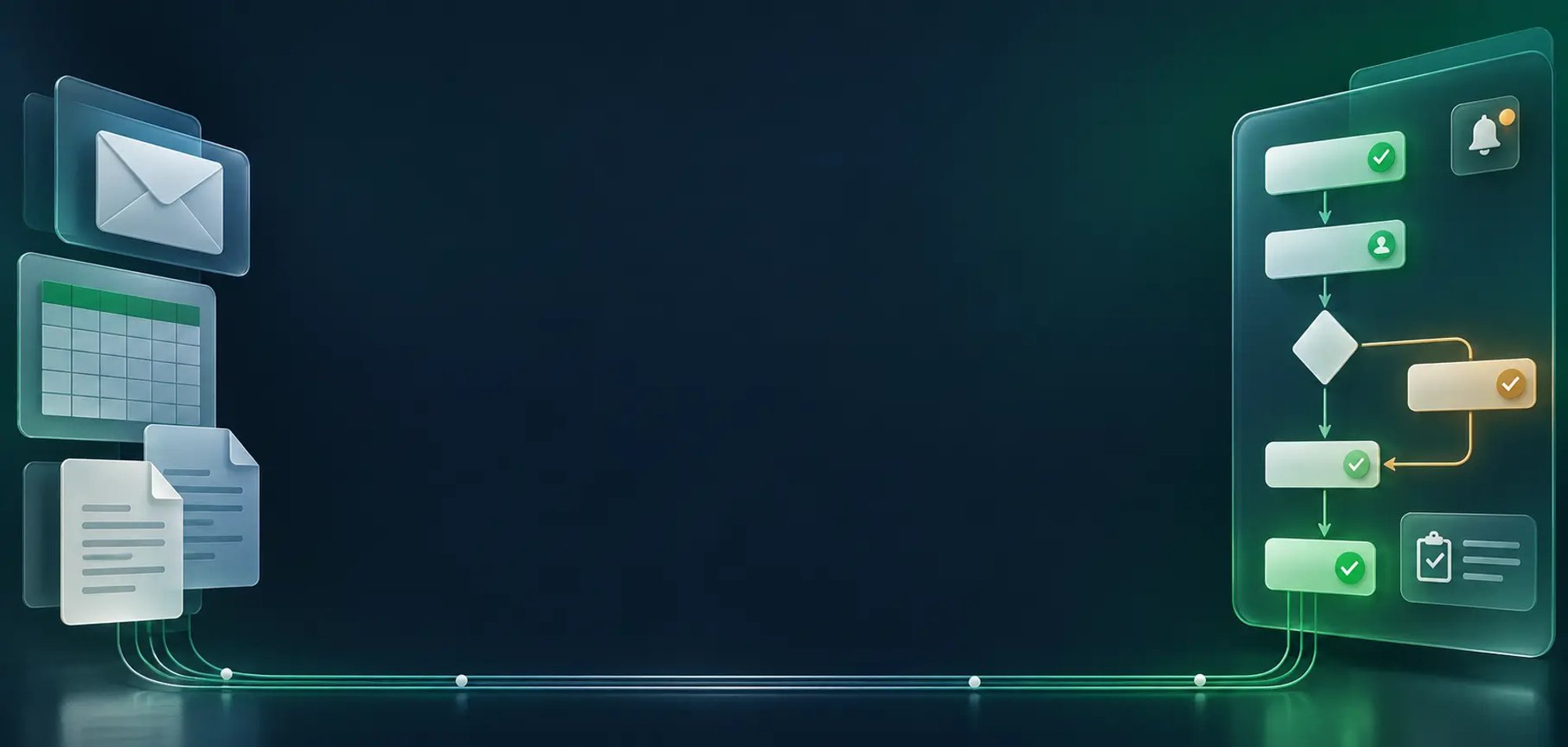
Structured automation with room for judgement
Automate the repeatable work while preserving human review for exceptions and important decisions.
Kumaran Agent Flow (K-AF) helps organizations replace fragmented email chains, spreadsheets, manual approvals, and disconnected process steps with structured, visible, governed, and progressively intelligent workflows.
Many business processes still depend on inbox follow-ups, spreadsheet trackers, manual routing, and users moving information between systems. These practices reduce visibility, create inconsistent decisions, and make it difficult to understand where work is delayed.
K-AF provides a centralized environment for designing, executing, monitoring, and improving end-to-end workflows. It combines business process orchestration with forms, decision rules, human tasks, integrations, notifications, audit history, and optional K-Suite intelligence.
Model business workflows using a standards-based visual process designer.
Use configurable forms to collect structured inputs and initiate workflows.
Assign work to authorized users and preserve review where judgment is required.
Maintain decision logic through DMN tables without embedding every change in application code.
Use REST APIs, proxy services, and app-to-app integration to exchange approved information.
Use timers, reminders, escalation paths, and configured SLA controls to keep work moving.
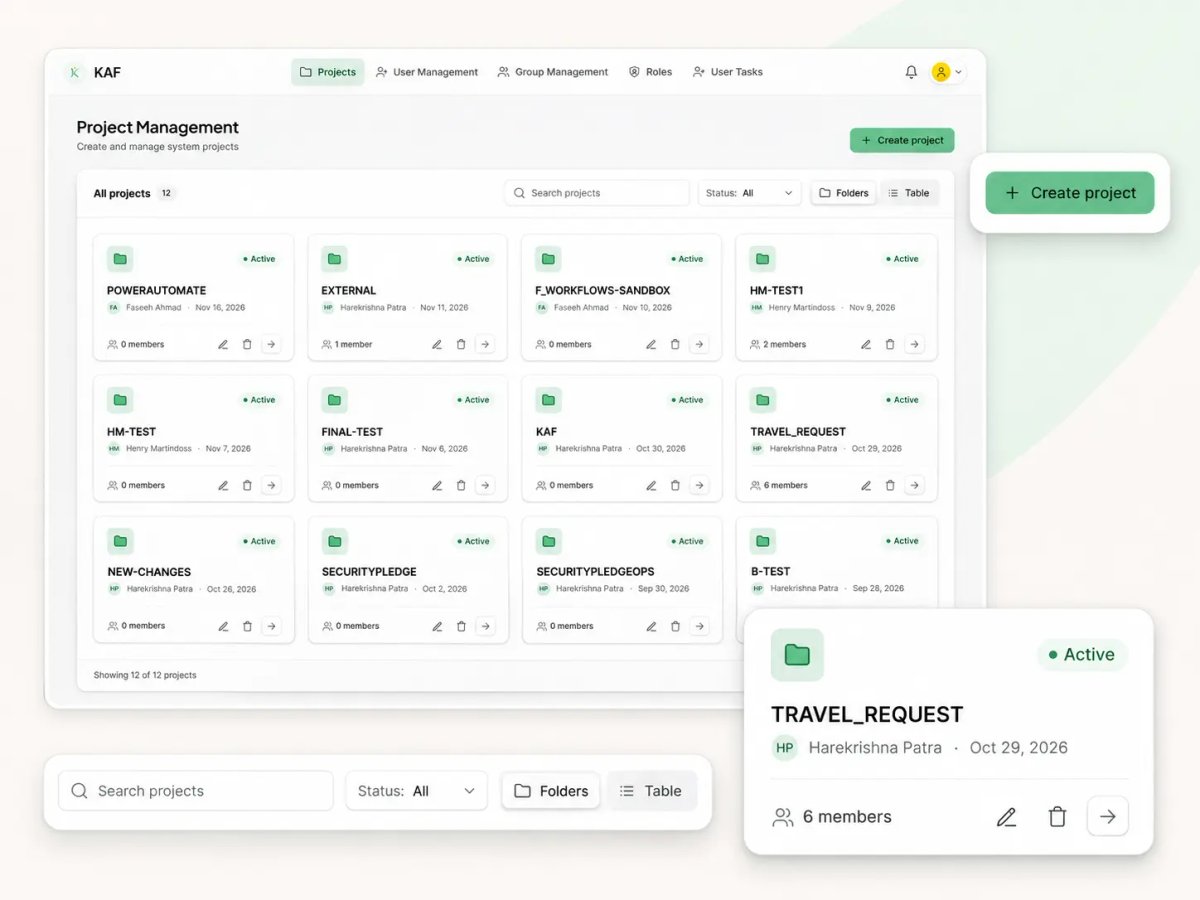
Group workflows, forms, rules, and related assets within project workspaces.
Review process status, pending tasks, activity history, and configured reports.
Invoke K-Doc when a workflow requires document extraction or rule-based validation.
Invoke K-Agent for configured validation, recommendations, or repetitive process activities.
Connect external enterprise applications through approved services.
Send automated workflow notifications and approval updates through the configured Outlook connector.
Return reports, validation findings, status updates, API responses, and JSON data.
Route work to users and groups according to workflow and access configuration.
Coordinate agents more dynamically across workflow stages.
Improve the way users find and manage workflow instances and operational data.
Provide tailored monitoring and work-management experiences.
Apply standard role controls across custom operations views.
Increase the range of AI-assisted stages that can be introduced into workflows.
Replace additional repetitive process steps when their risk and governance requirements allow it.
A form, email, webhook, or connected application provides the process input, so every request enters K-AF in a structured and consistent format from the very start.
K-AF automatically starts the configured workflow, identifies the applicable path for the request, and prepares the right participants and data for the next stage.
Configurable business rules evaluate the request against defined criteria and guide routing, approvals, or next steps consistently across every process instance.
K-AF assigns tasks, approvals, integration actions, and document-processing stages to the right users and systems, keeping human review where judgement is required.
Users receive timely reminders, approval updates, and escalation alerts, reducing repeated manual follow-up and helping work keep moving toward completion.
Authorized teams track progress, deadlines, exceptions, and SLA conditions from one place, making it easier to see where work is pending or delayed.
The workflow reaches a controlled outcome, producing approvals, documents, notifications, reports, system updates, or other configured business results.
Execution history is retained for operations, review, and audit support, giving teams a dependable record of what happened, when it happened, and who acted.

Move requests, tasks, and approvals through a defined workflow instead of relying on individual follow-up.

Route work to the right users, apply business rules, monitor deadlines, and escalate delays.

Use configurable DMN decision tables to apply consistent rules across process instances.

Exchange information with approved enterprise systems through REST APIs and app-to-app integration.

Send approval updates, reminders, and escalation alerts without repeated manual messaging.

Monitor workflow status, pending work, outcomes, and execution history from a centralized platform.
Use users, roles, groups, and configured permissions to control platform access
Restrict access at project, workflow, form, and user-role levels where supported.
Keep authorized people responsible for reviews and decisions that should not be automated.
Retain execution records for operational visibility and compliance support.
Use approved authentication, authorization, and API communication for connected systems.
Make failed, delayed, or review-required work visible for intervention.
Separate process configuration, operational access, and platform administration according to the deployment model.
Use K-Agent only within configured stages and keep important outcomes subject to human review.
Organizations can begin with structured workflow coordination, progressively introduce business rules, document intelligence, and AI-assisted stages, and expand automation only where governance, operational evidence, and business requirements support it.
Automate the repeatable work while preserving human review for exceptions and important decisions.
Use DMN to make decision logic easier to maintain and review
Coordinate tasks, forms, integrations, document intelligence, and notifications.
See where work is, what is delayed, and what requires action.
Begin with coordination and add deeper automation or intelligence as the process matures
Use K-AF independently or connect K-Doc and K-Agent where the workflow benefits from specialized capabilities.


Enterprise meeting transcription in MS Teams presented significant challenges for a Tier-1 Global Bank. Transcription ownership is tied to the meeting organiser, and bots require higher-level permissions that are unsuitable for enterprise environments. Existing MS Teams Copilot solutions locked the

A Tier-1 Global Bank was extensively reliant on Informatica for their ETL processes, resulting in high licensing, infrastructure, and operational costs. The client required a cost-effective, modern, cloud-based alternative and identified Databricks as their preferred target platform for modernization

A Tier-1 Global Bank needed to validate 600+ printed customer communication letters - covering images, text, and formatting - against strict print specifications. Each test case was manually written by the client, requiring precise validation of formatting, text positioning, and layout adherence. Th

Customer service representatives at a Tier-1 Global Bank were tasked with answering complex queries across a wide range of product procedures, rules, and features. The information needed to respond accurately was dispersed across the product website, internal SharePoint, documents, and training mate

The client had developed 600+ KornShell (KSH) and Sybase SQL custom scripts over the years, relying on an outdated version of FIS Mid-Office. When FIS announced a tight deadline for sunsetting support of this version, the client was required to migrate all custom scripts to a new version compatible

The bank's Credit Risk Technology's CreditLens Migration Testing business needed to migrate data from CreditLens into a new in-house Financial Assessment application across roughly 9 main transaction tables...

The bank's Portfolio Project Management business needed to migrate 3.3 million production records across 61 tables into the Dev/UAT environment for realistic application performance testing...

The bank's Equity Markets & Prime Brokerage Technology business ran roughly 800 batches in production. Whenever batch logic changed, the team needed to regression-test every affected ETL job...

The bank's Retail Wealth Management Technology business wanted to migrate roughly 23 million records across 15 tables from its IBM DB2 database to a new MS SQL Server database on Azure cloud...

The bank's Global Derivatives/FICC business generated a massive volume of trade data every day from multiple source trading systems. Validating each record by hand made QA effort during SIT and UAT significantly high...

Legacy application performance transformed through a seamless Informix-to-Oracle migration — leveraging Kumaran's deep database modernization expertise.
Read full case study
A US automobile giant with 12 manufacturing plants improved mainframe batch SLA from 32% to 99% using Kumaran's proprietary NxTran tool - delivering an estimated $13.13 million in 5-year savings by migrating COBOL/JCL to Java Spring Batch and z/OS DB2 to LUW DB2.

A US automobile manufacturer modernised its PowerBuilder V8-based Warranty Management System to a modern .NET web application using agile methodology - completing discovery to deployment in just 13 months and eliminating all legacy technology risk.

Kumaran was engaged by Microsoft India to deliver a B2B data exchange solution for a major enterprise with 900 wholesale dealers - replacing manual Excel-based data transfer with a centralised SQL Server platform supporting both internet-connected and offline XML-based exchange.

One of Canada's largest furniture retailers modernised its mainframe EDI application to HTML5, Angular, and J2EE using Kumaran's NxTran tool — completing the migration on time and within budget, and cementing a 15-year strategic IT partnership.

A Canadian government ministry re-engineered its legacy Clipper audit application to a modern J2EE web platform on WebSphere 4.0 - enabling 4,000 staff to access the system from any location across Canada with a centralised DB2 database and multi-language GUI.

One of Ontario's largest colleges validated the modernisation of GeneSIS - its Student Information and Administration System - from a legacy platform to .NET, preserving every business rule across scheduling, student progression, and Ontario policy compliance for 40,000+ students.

Canada's largest volume retailer consolidated 6 regional data sources from 100+ stores into a single secure DWBI platform - enabling drill-down analysis across 50+ KPIs, real-time dashboards for leadership, and OLAP-powered historical analysis and future sales prediction.

A major oil shipping company re-engineered its mission-critical Risk Assessment System from Oracle to Microsoft .NET - achieving zero downtime during migration, full internal system embedding, and web service-based third-party data exchange, winning the engagement against Tier 1 competitors.

The Foreign Trade Standards (FTS) division partnered with Kumaran to build ADES - a secure internet-based Authorization Document Entry System supporting Pre-Shipment Inspection across 11 government clients and offices in 94 countries, handling 1,000+ daily transactions with 24/7 availability.

A global personal care products retailer migrated its Taiwan ERP application - 318 objects across Finance, Product Management, and Order Processing - from Oracle Forms 4.5 character mode to a fully web-based Oracle Forms 6i GUI, with Traditional Chinese character set preserved across all tiers.

A healthcare technology company partnered with Kumaran to build a highly secure, HL7-V3 compliant Personal Health Record system - delivering offline capability, bidirectional EMR integration, full file encryption, DICOM imaging support, and extensible patient search in a portable, multi-browser solution.

A leading manufacturing company replaced its fragile Assembly Line integration subsystem with a cloud-compatible platform built on Apache Camel and Red Hat JBoss Fuse 6.3 - unifying 11 internal systems and 60+ data feeds with no impact to connected systems.

The Ontario College Application Service migrated its SSOLA system from Oracle Forms 6i to a thin-client Java solution - eliminating the JInitiator plug-in dependency that blocked student access and achieving 80% reduction in conversion time using Kumaran's Forms-to-Java migration tools.

A major US public sector employment corporation migrated its legacy Oracle Forms 6i applications to a modern ASP.NET platform - achieving 30% cost savings versus a ground-up rebuild while preserving all functionality, role-based security, and enabling centralised deployment.

A US public sector environmental agency migrated its complex PowerBuilder 6.5 environmental management platform to Oracle Forms 6i and Reports 6i using Kumaran's semi-automated PB*Converter tool - preserving all functionality across permit management, inspection, violation tracking, and complaint handling.

A leading telecom network infrastructure company modernised its AccessCare Operating Support System from legacy Oracle Forms 6i to a full J2EE platform - delivering an exact one-to-one migration, benchmarked to support 1,200 simultaneous users with zero user retraining required.

The fifth-largest bank card provider in the USA achieved 100% migration accuracy from Informix 4GL and ESQL/C to Oracle PL/SQL packages and Pro*C - using a tool-assisted approach with manual quality assurance to replicate all original functionality with improved performance.

The largest transit authority in North America modernised its capital funding system to a J2EE platform, achieving 10x the processing volume of the legacy system with real-time workflow automation, accelerated vendor payments, and open integration across J2EE, SOA, and open-source stacks.

A leading retail bank in Canada decomposed its monolithic Loan Origination and Processing System into independently deployable Spring Boot microservices on Red Hat OpenShift - eliminating full regression cycles and system-wide downtime with every code change.

A leading US federal healthcare agency modernised its Oracle Forms-based grant management system to a modern J2EE web platform - achieving 30% cost savings versus rebuilding from scratch and enabling online grants management across 3,000 users.

One of Canada's largest banks faced increasing complexity in its QA operations under a top-tier incumbent provider. The need to enhance efficiency, scale processes, and optimize costs led the bank to transition its entire QA function to Kumaran - a high-stakes handover requiring zero disruption to o

A Tier-1 Global Bank operating a large-scale enterprise digital platform faced mounting regression challenges. With 7,500+ UI and API test cases requiring automation and 1,000+ validation tests spanning reports, databases, and logs, manual execution had become unsustainable. Long execution cycles an

A Tier-1 Global Bank faced a critical gap in their Foreign Exchange platform: real-time financial messages flowing through Solace messaging infrastructure across multiple formats - FIX, FIXML, JSON, and XML - were being validated manually across queues, databases, and UI. The process was time-consum

The client operated a complex gRPC-based distributed architecture spanning 20+ services. Manual test case creation and validation for unary gRPC services resulted in long execution cycles, high debugging effort, and limited scalability for end-to-end service orchestration. With 200+ hours consumed p
A leading financial services firm faced an unsustainable data reconciliation challenge. Massive volumes of derivatives data were generated daily across multiple source systems in varied formats - DAT, Excel, and JSON - with real-time changes adding further complexity. Manual validation was time-cons

A Tier-1 Global Bank faced severe bottlenecks in their mission-critical trading platform. Over 7,000+ regression test cases were executed manually, creating long, inflexible regression cycles that delayed releases. A proprietary vendor tool offered poor scalability and limited coverage, while the bu

A Tier-1 Canadian Bank faced a critical bottleneck in its Core Banking & Payments Portfolio: the manual validation of 600+ bilingual (English/French) print forms. Frequent specification changes caused validation cycles to stretch into months, severely slowing release pipelines and straining QA teams

Container logistics in UAE ports involves a complex multi-party workflow between importers, exporters, transport companies, and shipping lines. Opportunities to "swap" containers - avoiding empty return trips to the depot - were being missed repeatedly due to the absence of a coordination system. Tr

A large global financial institution operating in a highly regulated environment faced mounting challenges across governance, operational risk, and compliance. Legacy manual processes and fragmented systems created operational inefficiencies, while increasing regulatory complexity demanded a moderni

Learn how insurers and MGAs can move beyond one-size-fits-all IDP with AI built for their documents, rules, and workflows.

Learn how to modernize legacy mainframe systems without downtime using automation, phased rollouts, and hybrid cloud strategies.

Cloud can’t replace everything. Learn when to keep your mainframe, when to switch, and how to build a smart hybrid system.

Explore how AI is revolutionizing insurance with faster claims, better risk assessment, and improved customer experience. Learn more today!

Discover how Cognitive Document Processing (CDP) revolutionizes Loss Run report handling in P&C insurance with automation, AI-driven accuracy, and cost savings.
Use K-AF to replace fragmented coordination with structured workflows, business rules, human approvals, enterprise integrations, document intelligence, and operational visibility.
Request a K-AF Demo